
Sharing Lists
Share a view-only list of your Wish List or Extra bottles with friends and family. Handy for gift ideas or trades.
Sharing is a Pro feature. On a Basic account, the share dialog shows an upgrade button instead of links. If your Pro subscription lapses, your links stop working, and anyone who opens one sees a "This list isn't available right now" page. Renew and the same links work again.
Getting Your Links
Click the share icon in the toolbar.
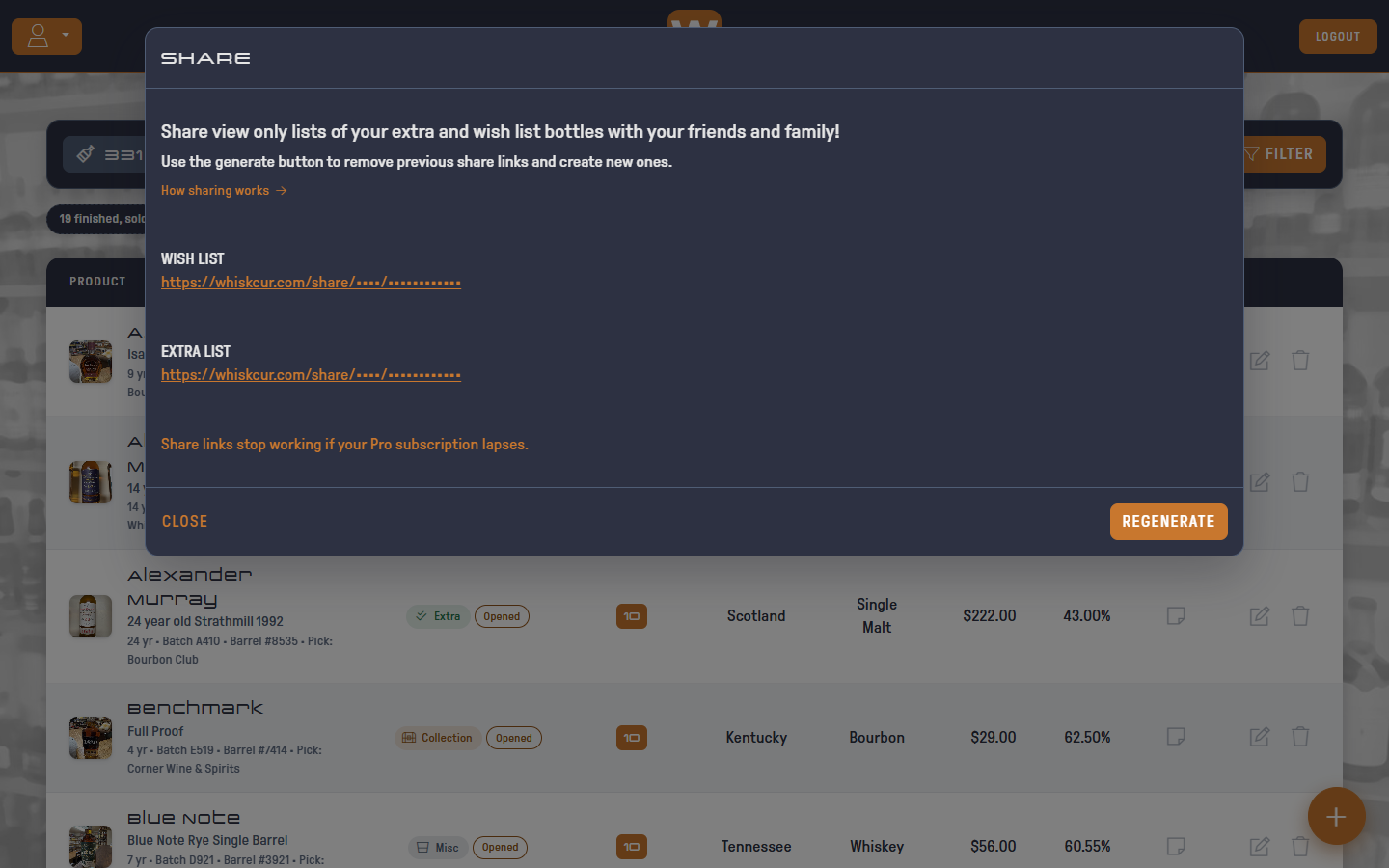
You get two links:
- WISH LIST: bottles tagged Wish List
- EXTRA LIST: bottles tagged Extra
Copy a link and send it to anyone. Bottles tagged Collection or Misc are never shared.
What Friends See
The link opens a clean, searchable list in any browser. Nobody needs an account or an app.
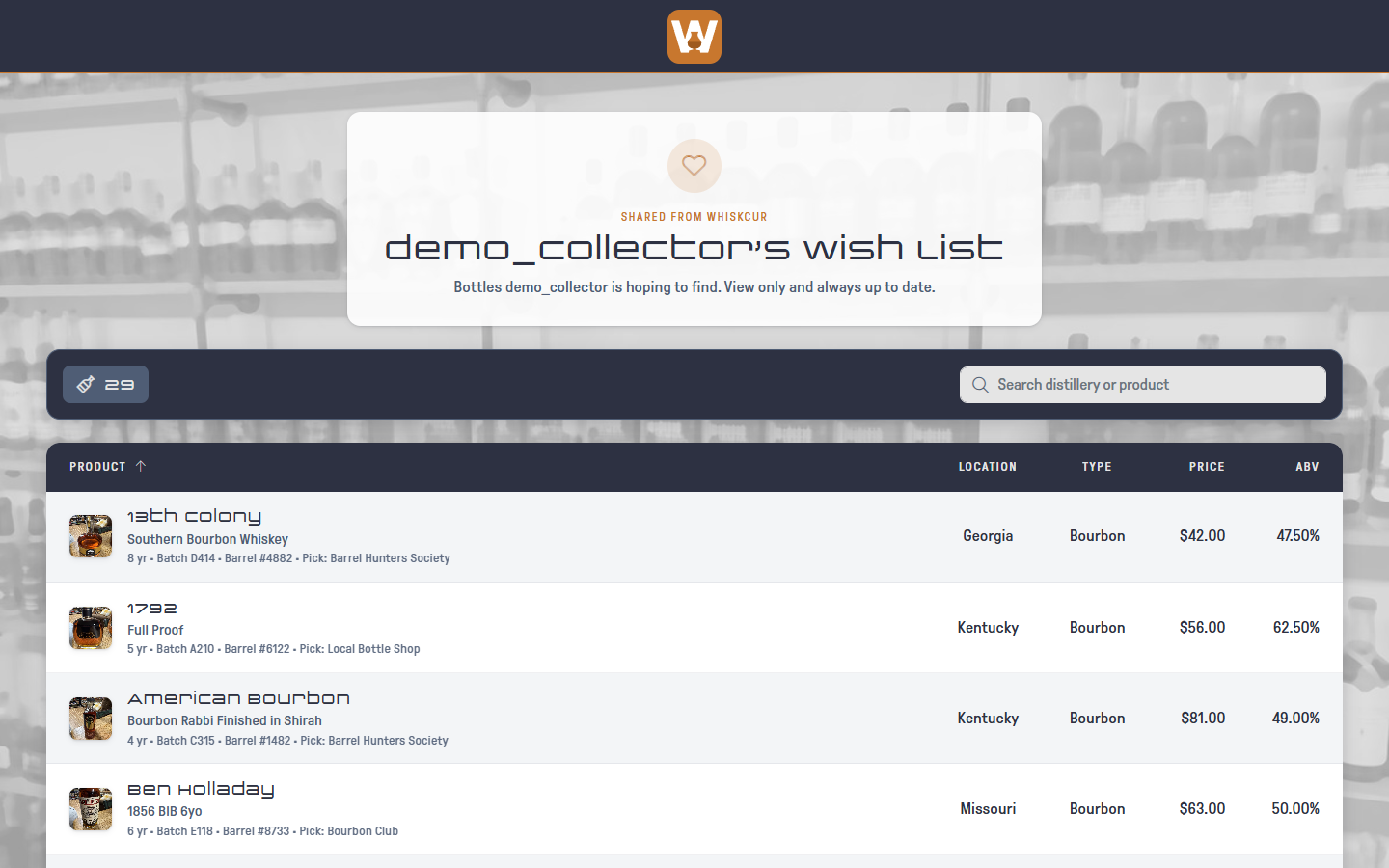
They see the distillery, product, location, type, price and ABV, plus any photos. Both lists show a bottle's age, batch, barrel and store pick, so friends know exactly which bottle it is. Your purchase date, where you bought it, current values and the bottle's history are never shared. On the Extra list they also see your tasting notes, whether each bottle is sealed or opened, and how many you have. Extras you've marked Finished, Sold / Traded or Gifted are left off, since they're no longer available. They can search and sort, but they can't change anything.
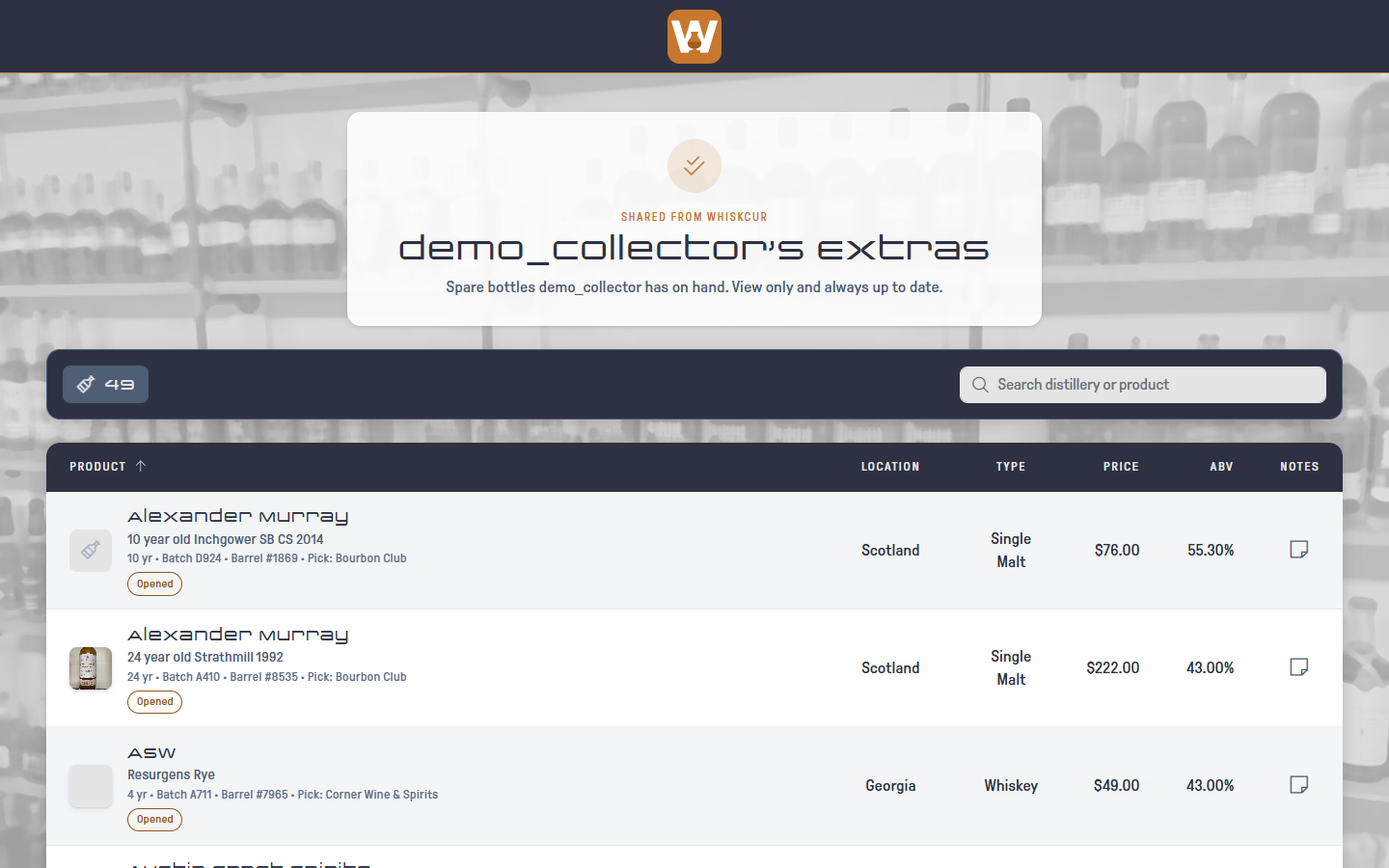
The list is always up to date. Tag a bottle Wish List and it shows up on the shared list right away.
Turning Off Old Links
Click REGENERATE in the share dialog to replace both links with new ones.
Regenerating permanently disables the old links. Anyone with an old link loses access until you send them the new one.