
Import & Export
Bring a spreadsheet into WhiskCur, or download your whole collection as one.
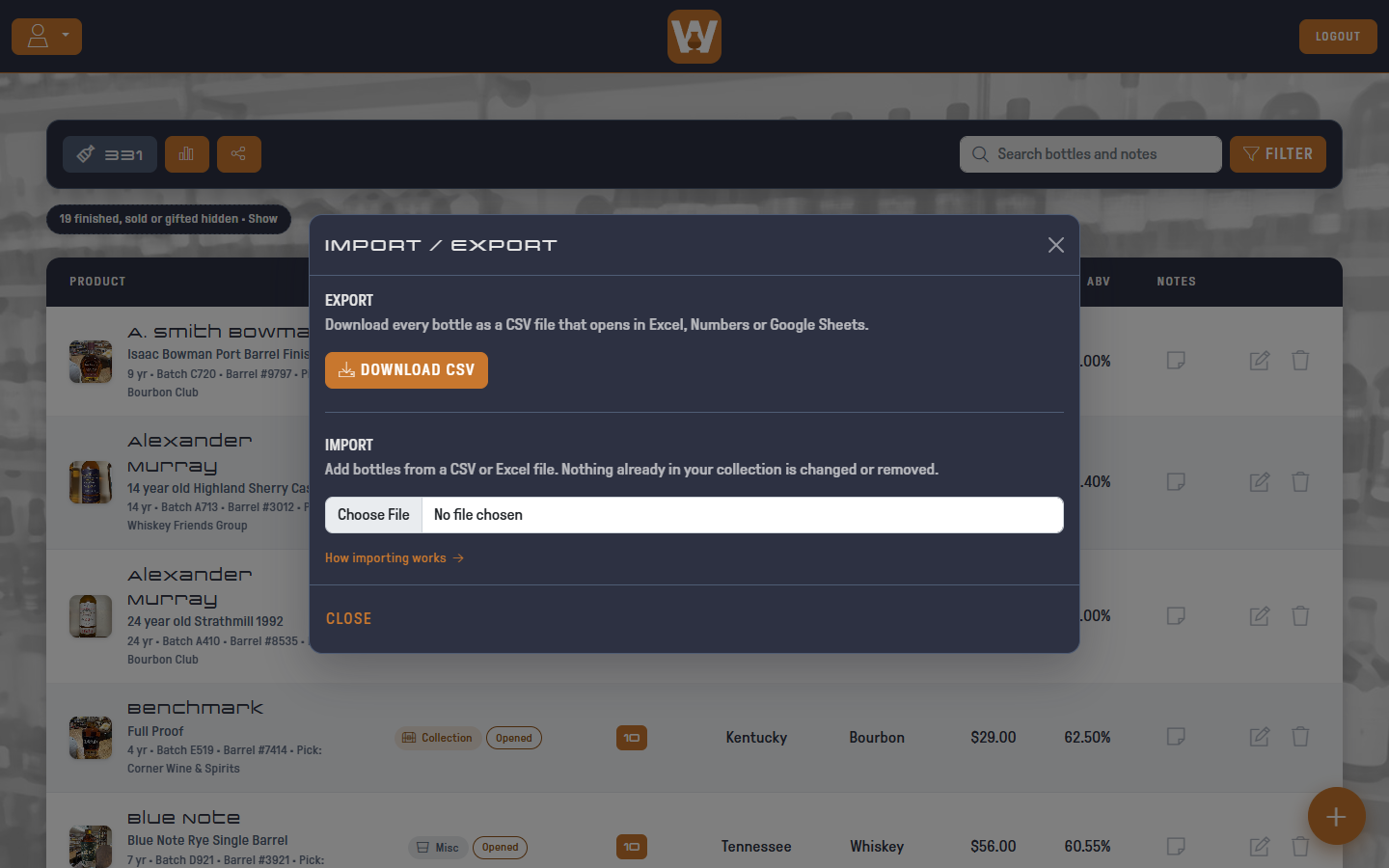
Open the account menu (the user icon, top left) and click IMPORT / EXPORT.
Export
Click DOWNLOAD CSV to get every bottle in your collection as a CSV file. It opens in Excel, Numbers and Google Sheets.
The file has one row per bottle with these columns:
Distillery, Product, Type, Location, Tag, Status, Quantity, Price, ABV, Rating, Tasting Notes, Age, Batch, Barrel, Store Pick, Purchase Date, Bought At, Current Value, Value Date, Last Edited
Photos aren't included. Every account can export, Basic or Pro, and the export always includes every bottle, even if your Pro subscription has lapsed.
Import
Import adds bottles from a CSV or Excel (.xlsx or .xls) file. It never changes or removes bottles you already have.
1. Choose a file
Click Choose File and pick your spreadsheet. The first row should be column headers, like Distillery or Bottle Name. Files can have up to 5,000 bottles.
If an Excel file has more than one sheet, pick the one with your bottles from the Sheet dropdown.
2. Match your columns
WhiskCur lists each column in your file with an example value, and guesses which field it belongs to. For example, Brand becomes Distillery, Bottle Name becomes Product, Cost becomes Price, and Comments becomes Tasting Notes. Change any guess with its dropdown, or set a column to Ignore to leave it out.
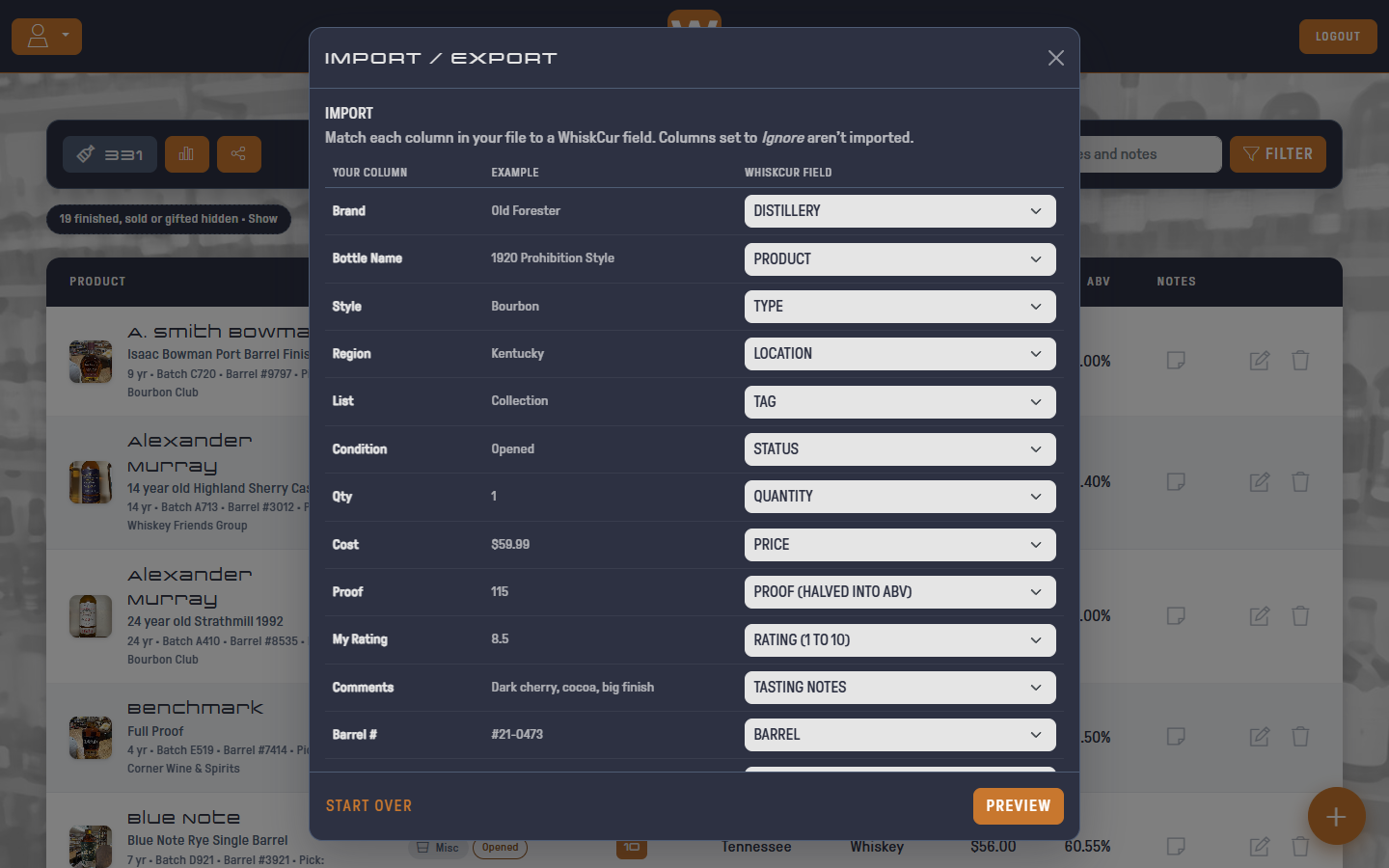
You need at least a Distillery or Product column. Everything else is optional.
| Field | What WhiskCur accepts |
|---|---|
| Price | Numbers with or without $ and commas, like $1,299.00 |
| ABV | A percentage like 45 or 45% |
| Proof | Halved into ABV, so 90 becomes 45% |
| Rating | 1 to 10. Decimals round, so 8.5 becomes 9. Anything else is left unrated |
| Tag | Collection, Wish List, Extra or Misc |
| Status | Sealed, Opened, Finished, Sold / Traded or Gifted. Anything else becomes Sealed |
| Quantity | A whole number. Blank becomes 1 |
| Age | Years, like 12, 12 yr or 4.5 years. Blank or unreadable means no age statement |
| Batch, Barrel, Store Pick, Bought At | Any text. Columns named like Barrel #, Cask, Picked By or Purchased From are matched automatically |
| Purchase Date | Dates like 2025-03-14, 3/14/25 (month first) or March 14, 2025. Anything else is left blank |
| Current Value | Per bottle, like Price: $450 or 1,299.00. Columns named Value, Market Value or Worth are matched automatically. Imported values are dated the day you import |
Wish List bottles don't keep a purchase date, Bought At or value, since they aren't bought yet.
Two more options:
- Default tag: if your file has no Tag column, this is Tag all bottles as, and every imported bottle gets it. Handy for importing a whole wish list at once. If you do have a Tag column, it becomes Tag for rows with a blank or unrecognized tag, and only those rows get it. It starts as Collection.
- Skip bottles I already have: on by default. A row is skipped if you already have a bottle with the same distillery and product, ignoring capitals and spacing. Turn it off to import everything.
3. Preview
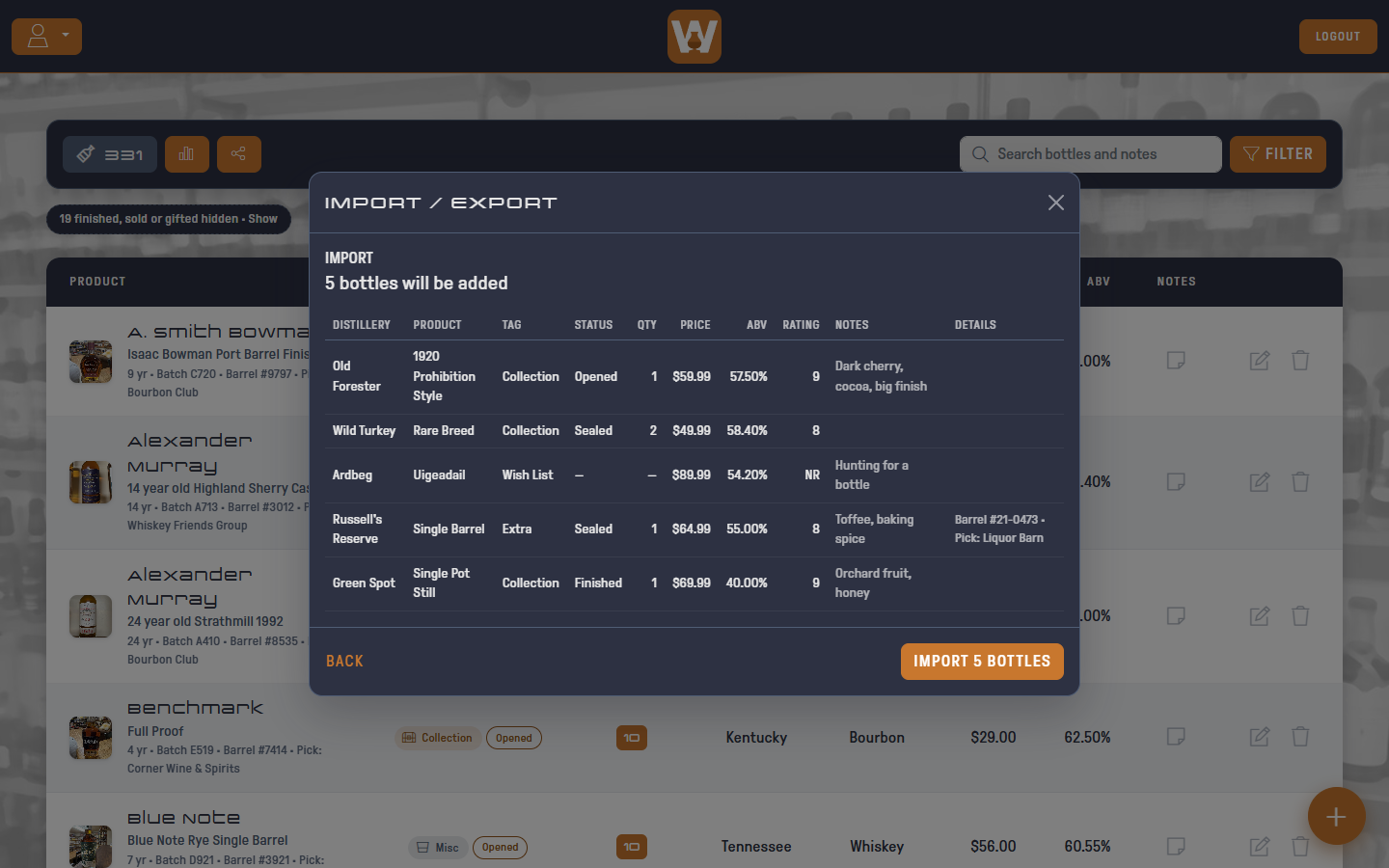
Click PREVIEW to see how many bottles will be added, how many are skipped and why, and the first 10 bottles exactly as they'll be saved. Click BACK to change your column choices.
4. Import
Click IMPORT to add the bottles. They're added all at once: if something goes wrong, nothing is added and you can try again.
Basic accounts hold up to 25 bottles. If your file has more than fit, the preview says how many won't be imported, and only the first ones that fit are added. Upgrade to Pro to import them all.
[!TIP] Imported bottles have no photos. Add them afterwards by editing each bottle.