
Search, Filter & Sort
Big collection? These tools get you to any bottle quickly.
Search
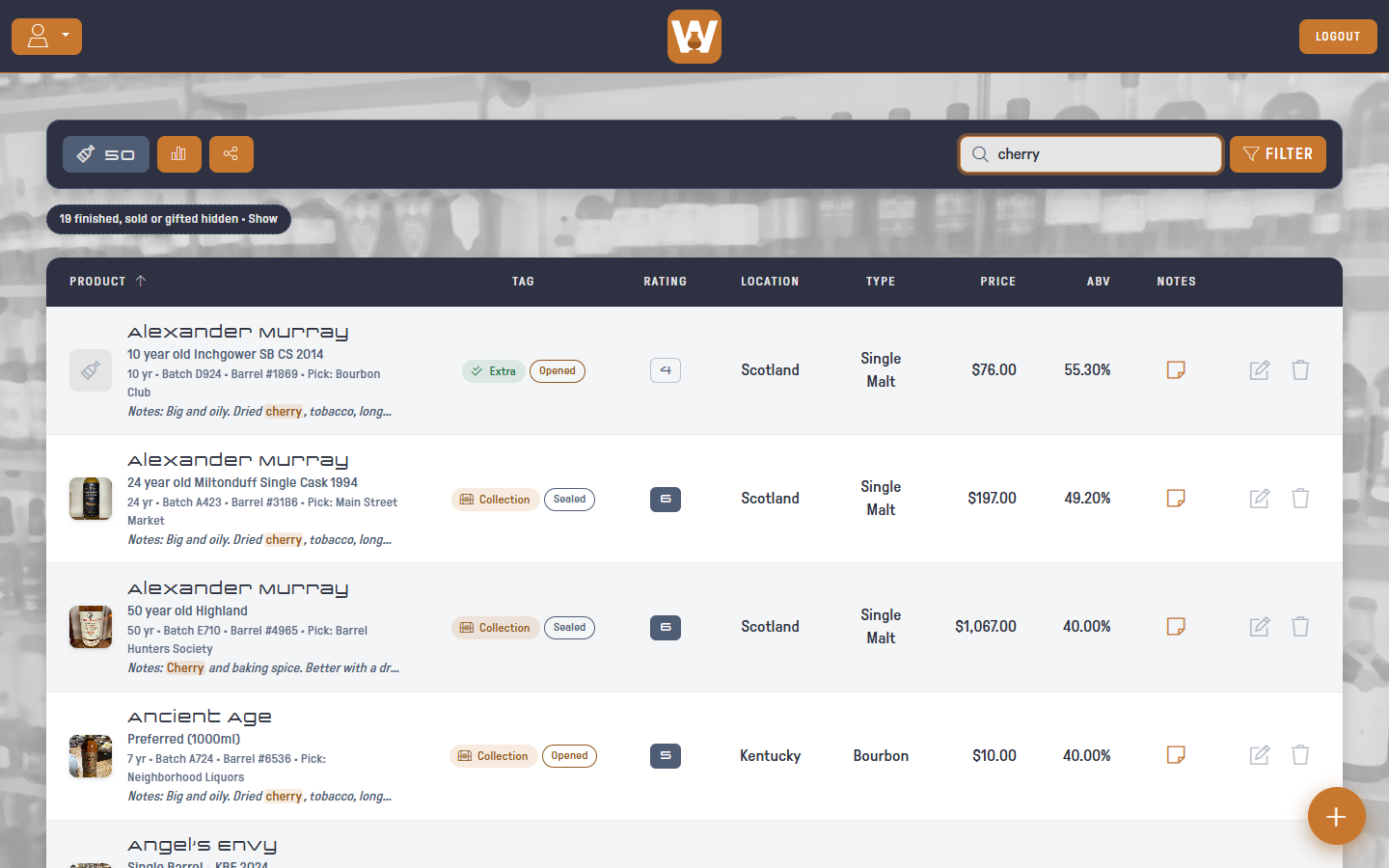
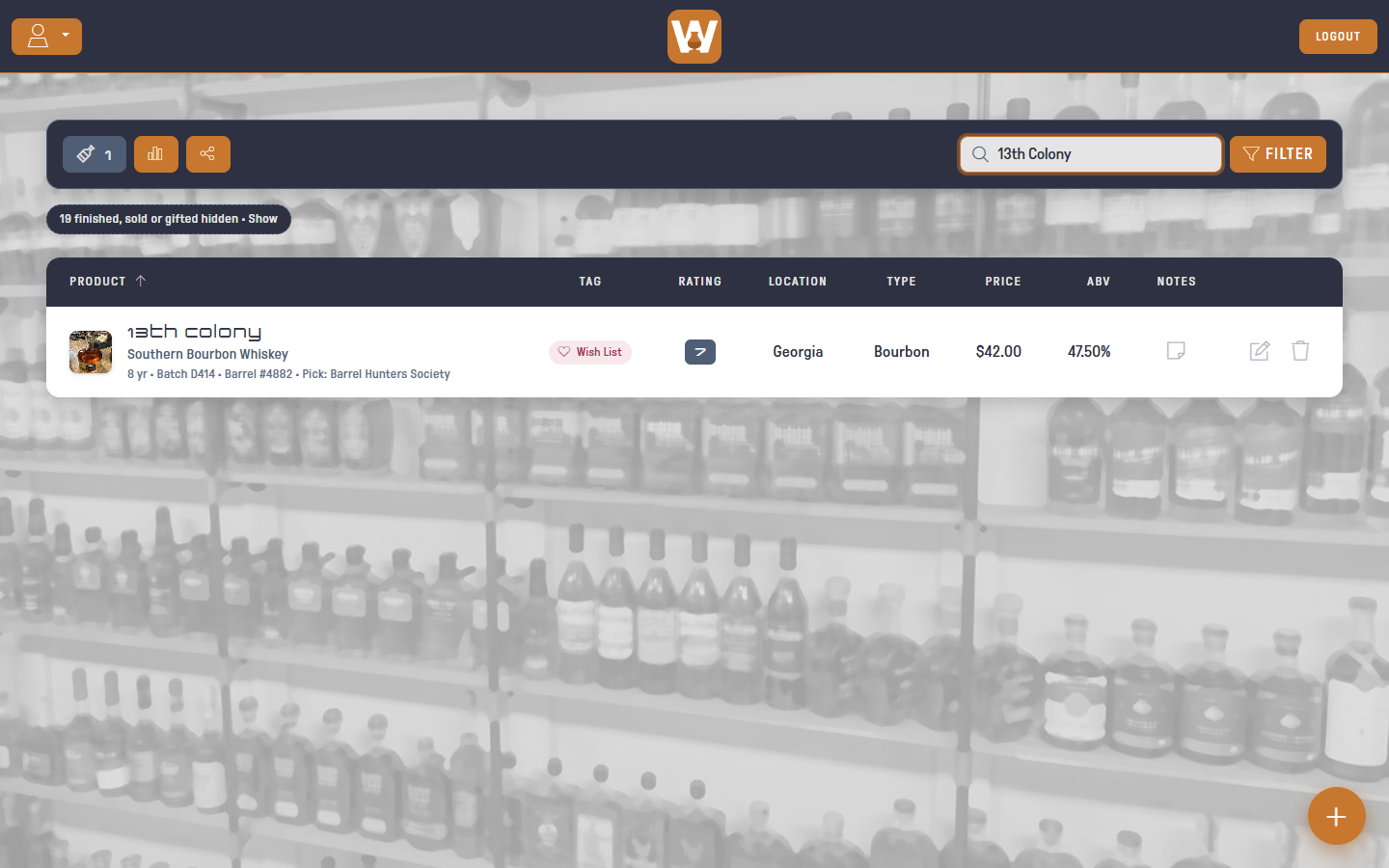
Type in the search box in the toolbar. The list narrows as you type, matching on distillery, product name, batch, barrel, store pick or tasting notes. When a bottle matches only because of its notes, the matching part of the notes shows under its name, and its notes button turns orange.
Filter
Click FILTER to narrow the list by:
- Price: a minimum, a maximum, or both
- ABV: a minimum, a maximum, or both
- Age: a minimum, a maximum, or both, in years. Bottles with no age statement are left out once you set either one
- Store pick: Any, Picks only, or Not picks
- Picked by contains: e.g. Bourbon Club
- Location contains: e.g. Kentucky
- Type contains: e.g. Rye
- Tag: Collection, Wish List, Extra or Misc
- Status: On hand (the default: Sealed or Opened), All, or one status such as Opened
- Rating: a specific rating, or Not Rated
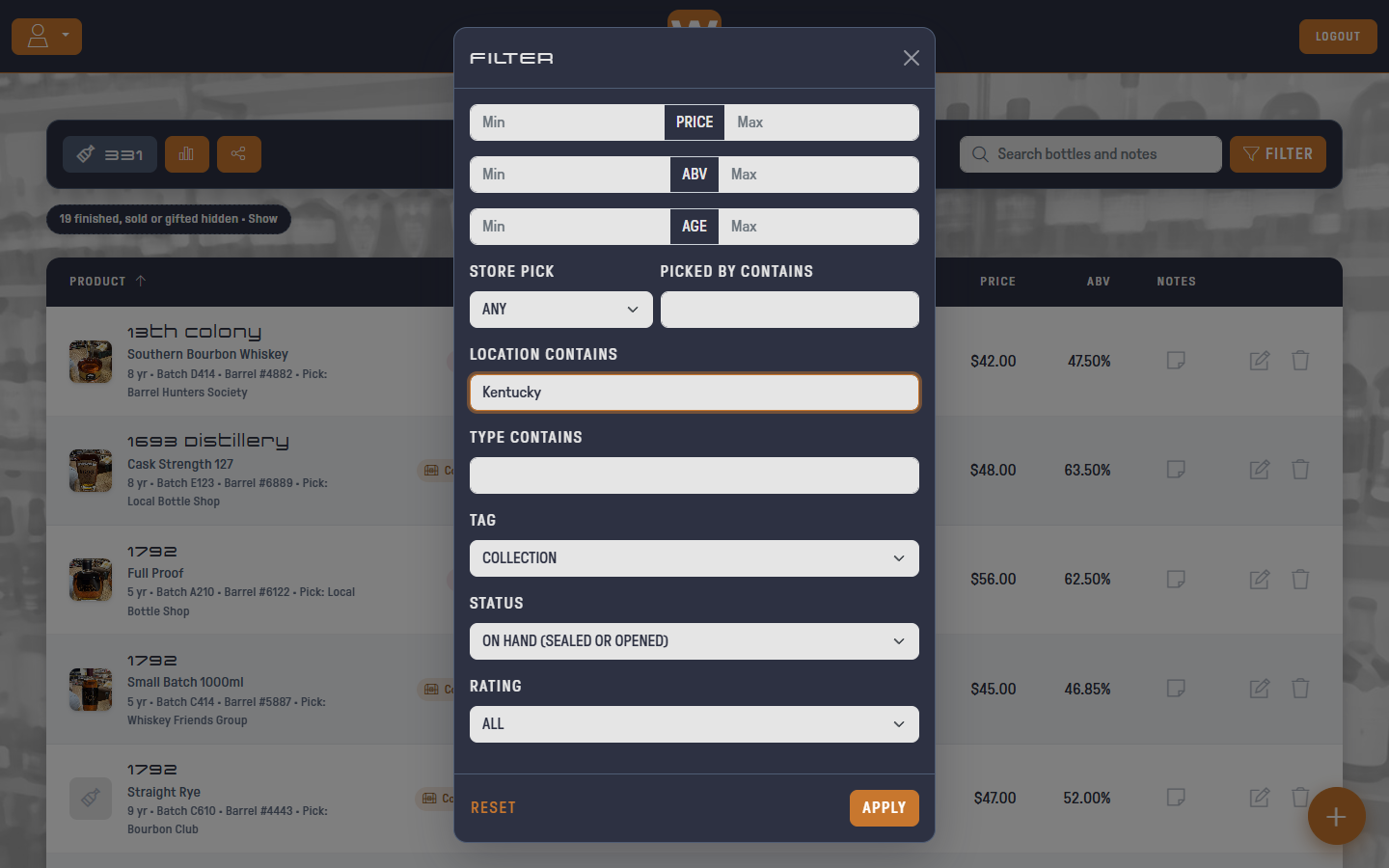
Click APPLY. Search and filters work together.
Active Filters
Each active filter shows as a chip under the toolbar, and the FILTER button shows how many are on.
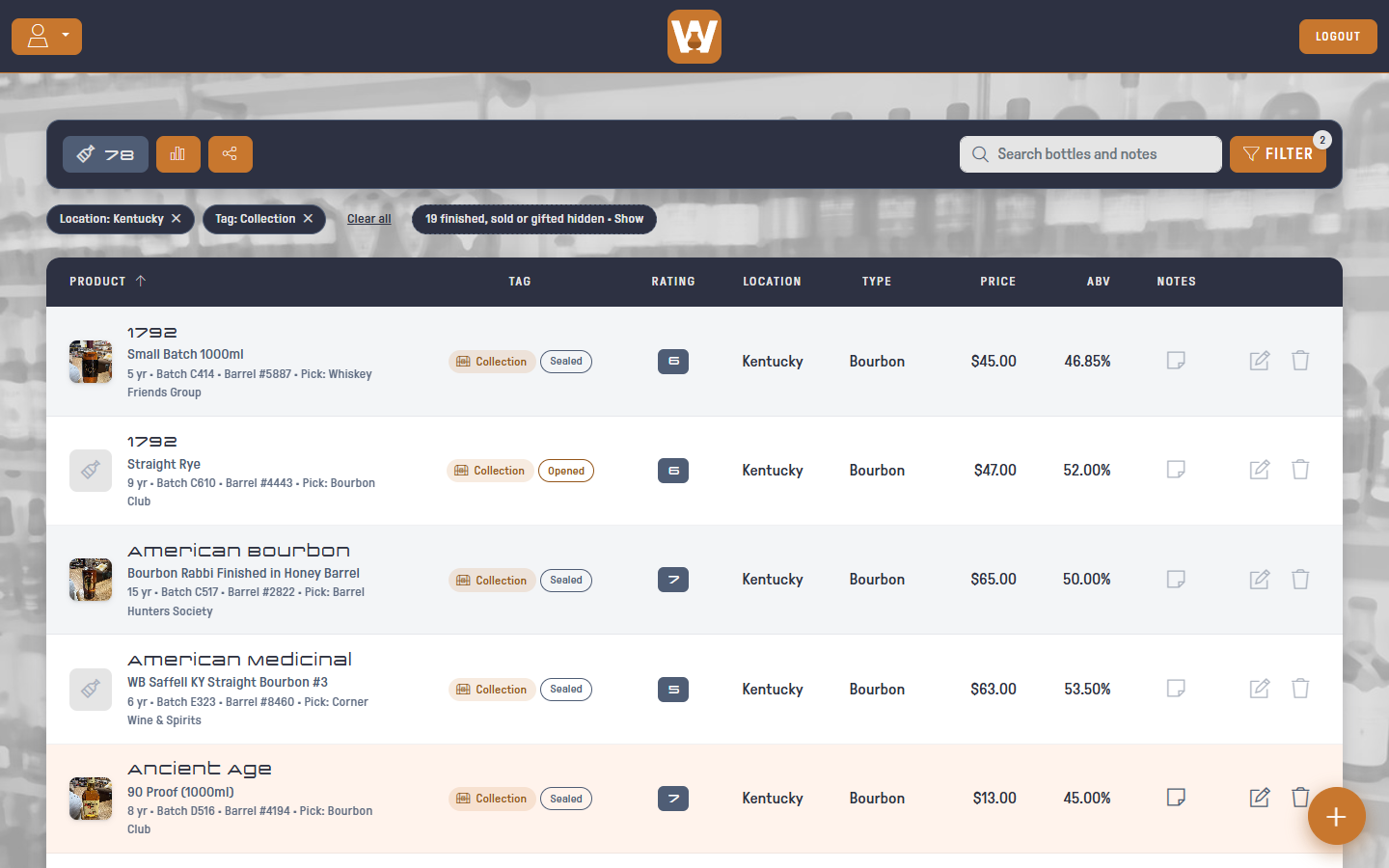
- Click the × on a chip to remove that filter
- Click Clear all to remove every filter
- Or open the filter dialog and click RESET
When finished, sold or gifted bottles are hidden, a dashed chip says how many. Click it to show them too. RESET and Clear all hide them again.
If nothing matches, click CLEAR SEARCH & FILTERS to start over.
Sort
Click any column header to sort by it. Click it again to reverse the order. An arrow shows the current sort.
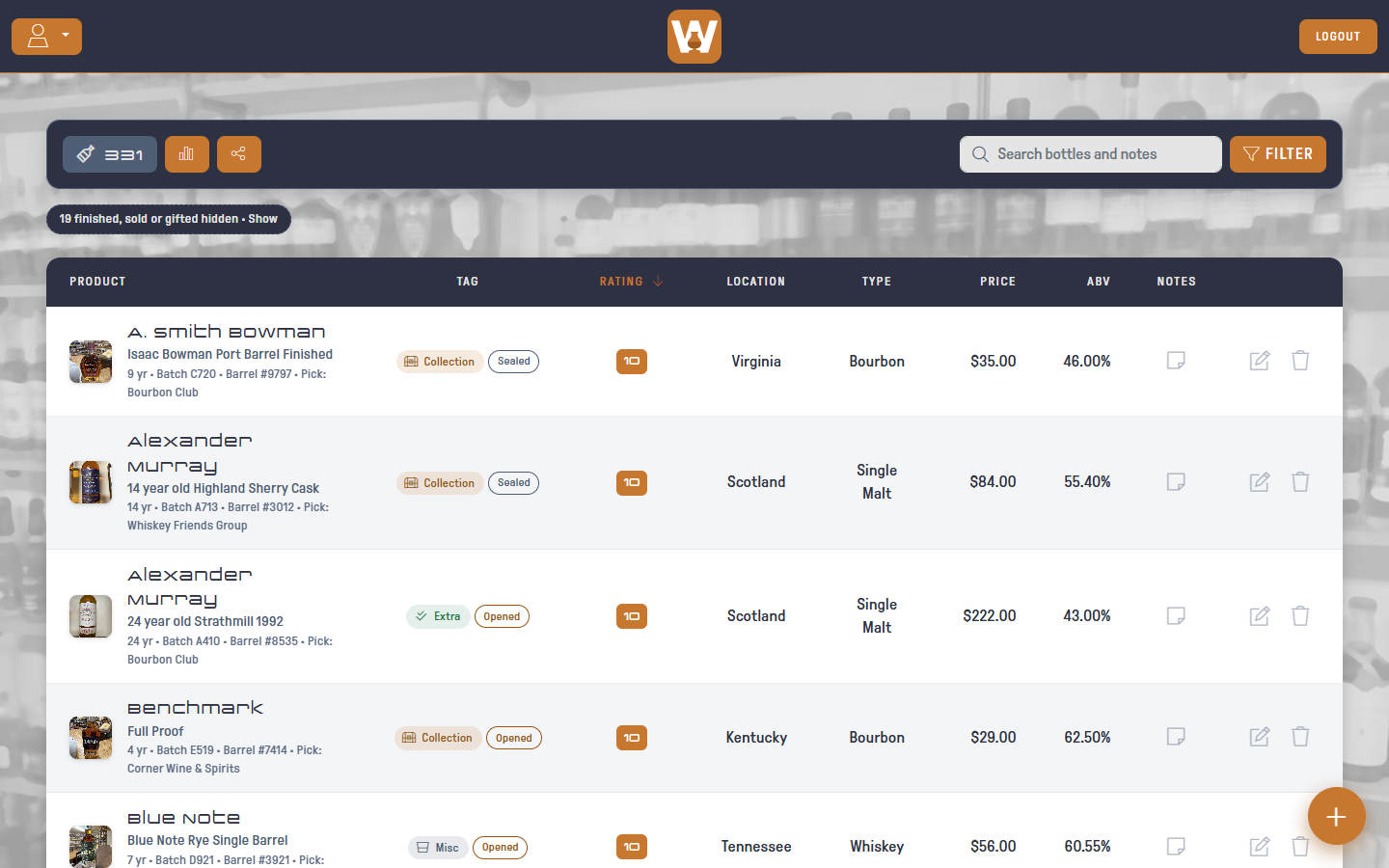
Sorting by Product orders by distillery first, then product.
On a phone, use the sort dropdown in the toolbar: A–Z, Z–A, Top rated, Price high or low, ABV high, or Recently edited.